

How To Install Tensorflow Models
Let's get started.
- Read the TensorFlow Object Detection API installation documentation !
- Download git for Windows .
- Clone the tensorflow-model repository .
Open Git Bash, check the current directory with "pwd". If this is where you would like to clone the repository. I created a folder C:/Users/your-username/tensorflow. Then use the following to clone:
git clone https://github.com/tensorflow/models.git 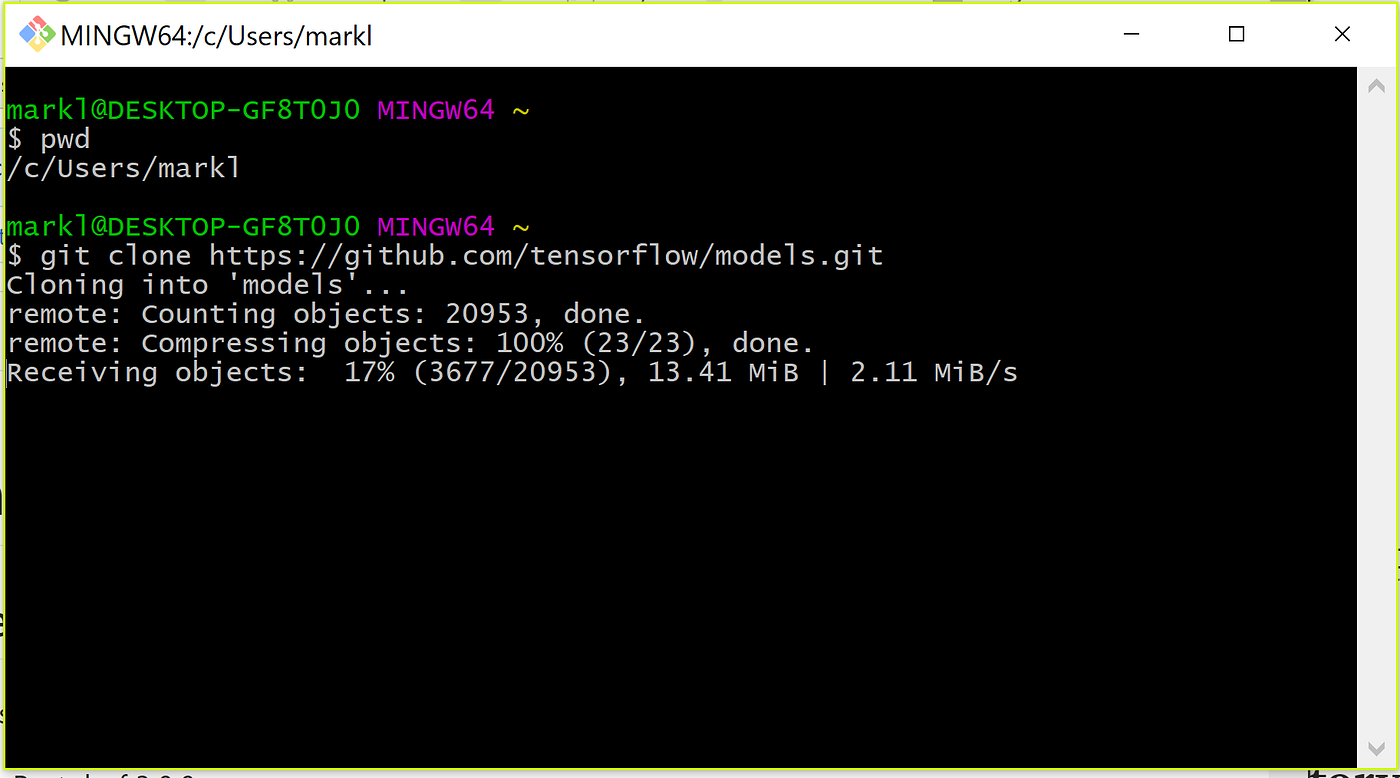
4. Install TensorFlow
If you only have one python environment that you use, simply follow:
          # For CPU
pip install tensorflow
# For GPU
pip install tensorflow-gpu
I have multiple environments, so I activated my Python 3.5 environment (Python ≥ 3.5 needed for TensorFlow), then installed using:
          conda activate py35
pip install tensorflow
5. Install all other dependencies
          pip install pillow
pip install lxml
pip install jupyter
pip install matplotlib
Note: If using a conda environment, installing Jupyter and Matplotlib manually is not necessary.
6. Install COCO API
COCO is a large image dataset for object detection, segmentation and caption generation. Latest research papers in object detection and segmentation use the COCO dataset and COCO metrics for evaluating accuracy, mainly mAP. Information on these metrics can be found here.
To use COCO dataset and metrics with TensorFlow Object Detection API, COCO will need to be added to the models/research directory. This can be done in one of two ways:
- Manually download the zip file from the cocoapi github repository and then manually move the cocoapi/PythonAPI/pycocotools folder to the tensorflow/models/research directory.
- Clone the cocoapi repository, and move the pycoco tools folder to the tensorflow/models/research directory.
git clone https://github.com/cocodataset/cocoapi.git 7. Download Google Protobuf
The TensorFlow Object Detection API uses .proto files which need to be compiled into .py files. Google provides a program called Protobuf that will batch compile these for you.
Note: Download version 3.4.0 for Windows , as later versions may give you a "Permission Error" when trying to compile. Use the link above, then download "protoc-3.4.0-win32.zip".
8. Extract the Protobuf download.
You can extract to C:/Program Files, or, like I did, you can extract to C:/Users/your-username.
9. Execute the protobuf compile within the command prompt.
Open command prompt, move to the location of your tensorflow/models/research directory (wherever you put it in step 3).
cd C:\Users\markl\tensorflow\models\research Once you're in the models\research directory, execute the protobuf compile using the location of the "protoc.exe" file. This is the location in which you extracted the Protobuf download from step 7.
"C:\Program Files\protoc-3.4.0-win32\bin\protoc.exe" object_detection/protos/*.proto --python_out=. Note: you can test if this has worked by going to the object_detection/protos folder, and if there are .py files, you've successfully completed the compilation of your .proto files!
10. Add libraries to PYTHONPATH
The models/research directories will need to be added to your PYTHONPATH so that the system recognizes the files within these folders. This can be done on Git Bash, or by manually setting your paths.

To manually set the paths, go to Go to System -> Advanced system settings -> Environment Variables -> New, and add a variable with the name PYTHONPATH and these values:
- path\Anaconda3
- path\Anaconda3\Scripts
- path\Anaconda3\Library\bin
- path-to-tensorflow\models\research
- path-to-tensorflow\models\research\slim
- path-to-tensorflow\models\research\object_detection
Note: You may have to restart your computer/system for this to take effect.
11. Run tutorial!
To test if everything is working correctly, run the notebook object_detection_tutorial.ipynb from the models/research folder. If your installation has worked correctly, you should see a sample output:
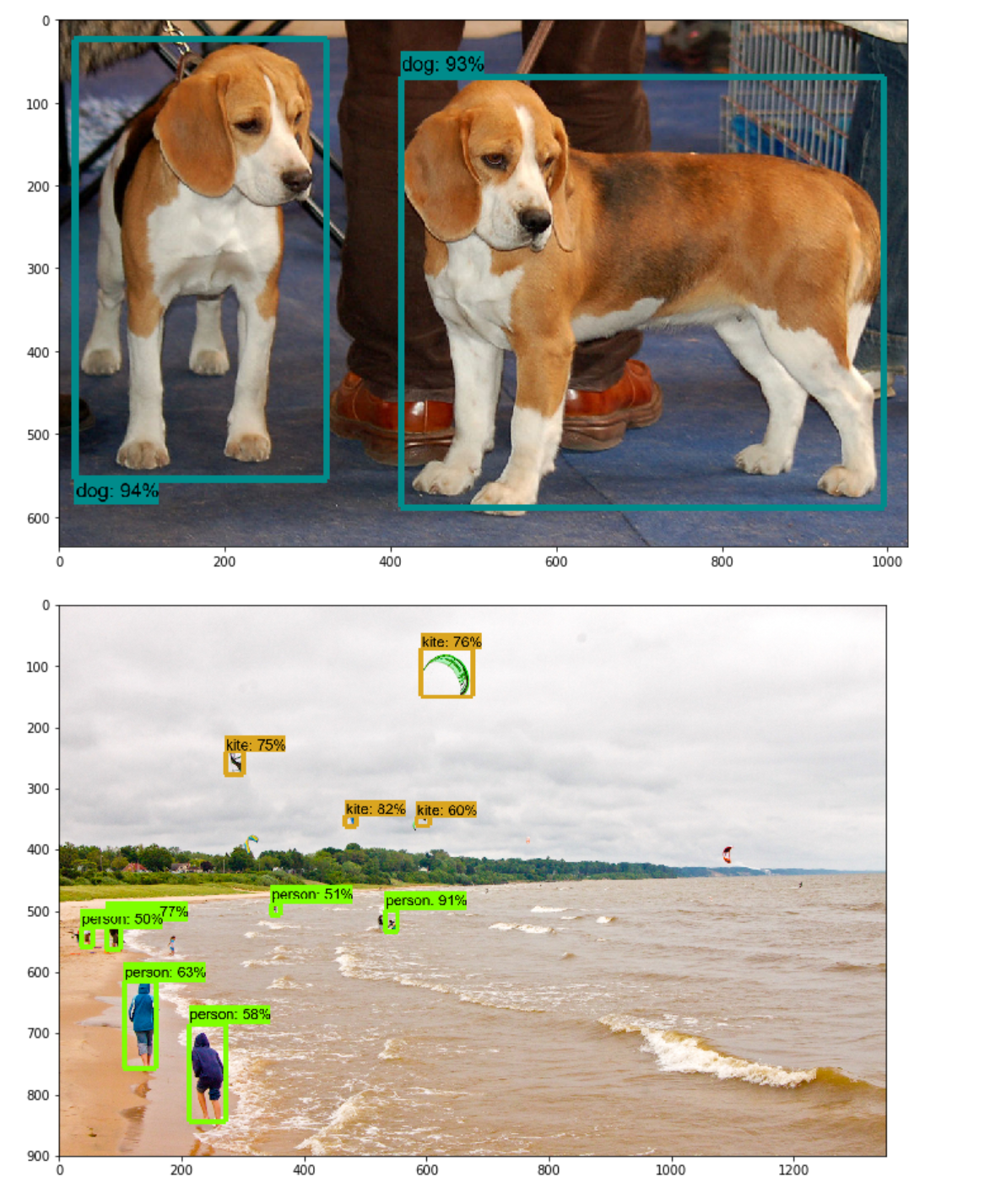
Congratulations! Now you're ready to start experimenting with the API.
How To Install Tensorflow Models
Source: https://medium.com/@marklabinski/installing-tensorflow-object-detection-api-on-windows-10-7a4eb83e1e7b
Posted by: futrelltwithe.blogspot.com
0 Response to "How To Install Tensorflow Models"
Post a Comment